Designed by SENCOs for SENCOs
SEND management for SENCOs
VistaSen brings each pupil’s support plans, provision, review dates and family conversations into one place. Use what you’ve already recorded to prepare passports and reviews, so you spend less of your week retyping plans and chasing colleagues for updates.

How a SENCO’s experience shaped VistaSen
VistaSen was developed alongside a Head of SEND at a large school. Managing SEND provision every day gave them a clear view of where a SENCO’s time goes: keeping plans up to date, gathering colleagues’ notes and pulling the same information together again for a review. Their experience guided a central decision about how VistaSen should work. What staff record as they support a pupil should also be available when the SENCO prepares a passport or review. That means less time spent chasing and rewriting information, and more time to work with pupils, families and colleagues.
Learning passports
Write the plan once. Use it for the handover.
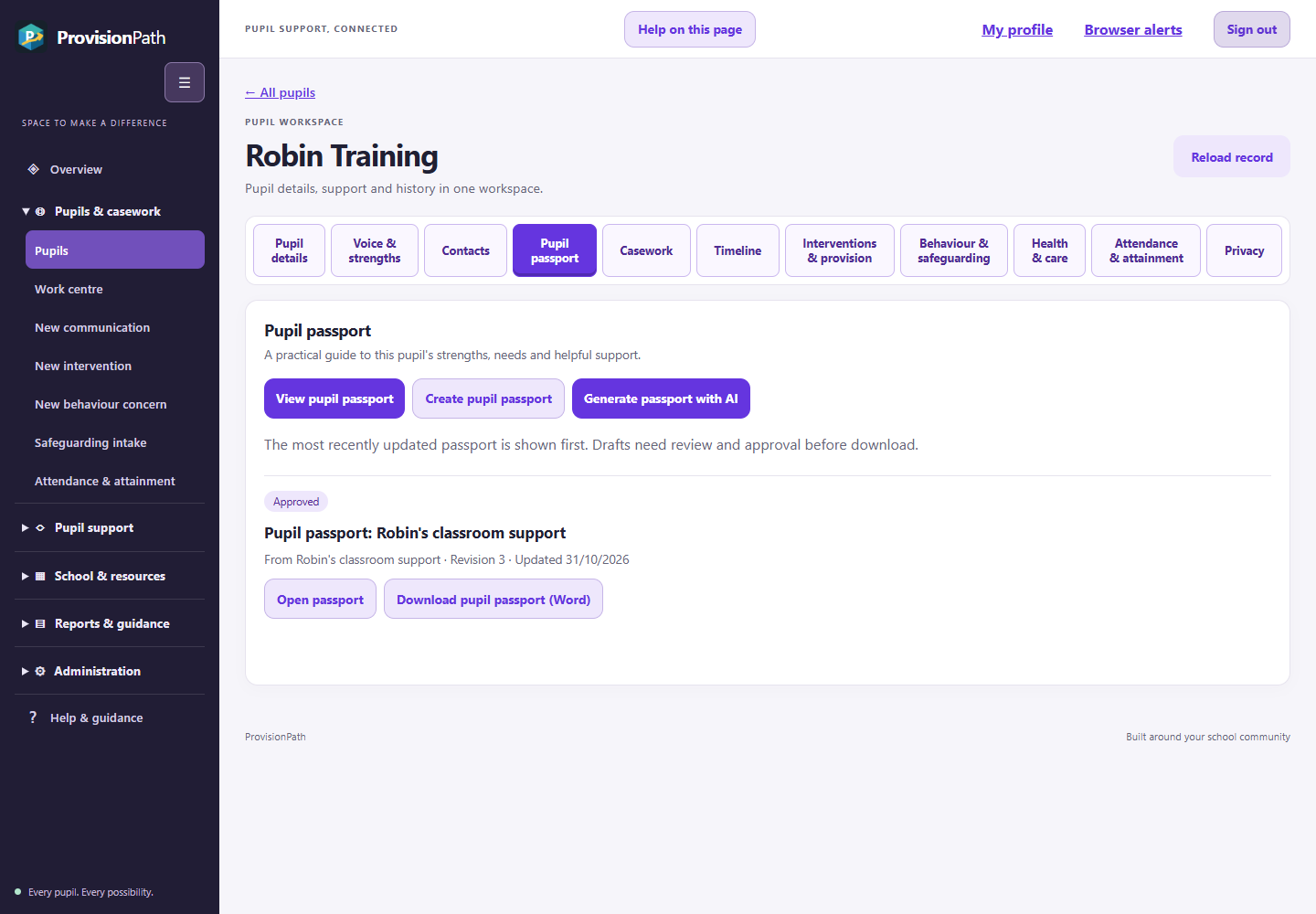
When a colleague asks what helps a pupil join in, the answer is often already in their SEN support plan or education, health and care plan (EHCP). In VistaSen, you can use that plan to start a learning passport with their strengths, views, targets and agreed support already to hand.
Your time can then go into the part that needs your judgement. Does the wording still reflect the pupil? Would a new teacher know what to do on Monday morning? Check the entries, approve the passport and download it in Word for the handover.

Interventions and provision
Let session notes do some of the review preparation
Once support is in place, the next job is knowing what actually happened. Set out the starting point, the target, who will provide the support and when you’ll review it.
A teaching assistant running a reading group can record the session length and a brief observation as they go. If the pupil read independently in a pair but needed a prompt in the group, that detail is there when you next open the intervention.
Instead of asking colleagues to reconstruct a term from memory, you can use your time together to decide whether to continue, change or end the support. Staffing, funding and provision costs can inform that same discussion.
Pupil timeline
See the support and actions recorded for one pupil
Before a review or a call home, open the pupil’s timeline. Read back through their interventions, session records, conversations and follow-up tasks in date order. Open a related record when you need the detail behind an entry.
For example, if a parent asks what happened after a reading intervention was agreed, you can trace the sessions staff recorded and check whether the follow-up task was completed. You can prepare for the conversation without asking each colleague to piece the term together again.
Each member of staff sees the records their permissions allow.

The wider school picture
Check attendance alongside the support delivered
If six sessions were planned and only three took place, the attendance record can change the question you ask at review. With your school’s permission, VistaSen can import pupil and attendance information from Bromcom, giving you that context alongside the intervention notes.
If your school uses CPOMS, continue to follow your designated safeguarding lead’s arrangements for recording concerns. VistaSen’s Bromcom import does not bring CPOMS case notes into learning passports.
See how this works over a term
Follow one SENCO, teacher and family as they agree an adjustment, try it and listen to what the pupil wants to change.
Working with families
Keep track of what you promised a family
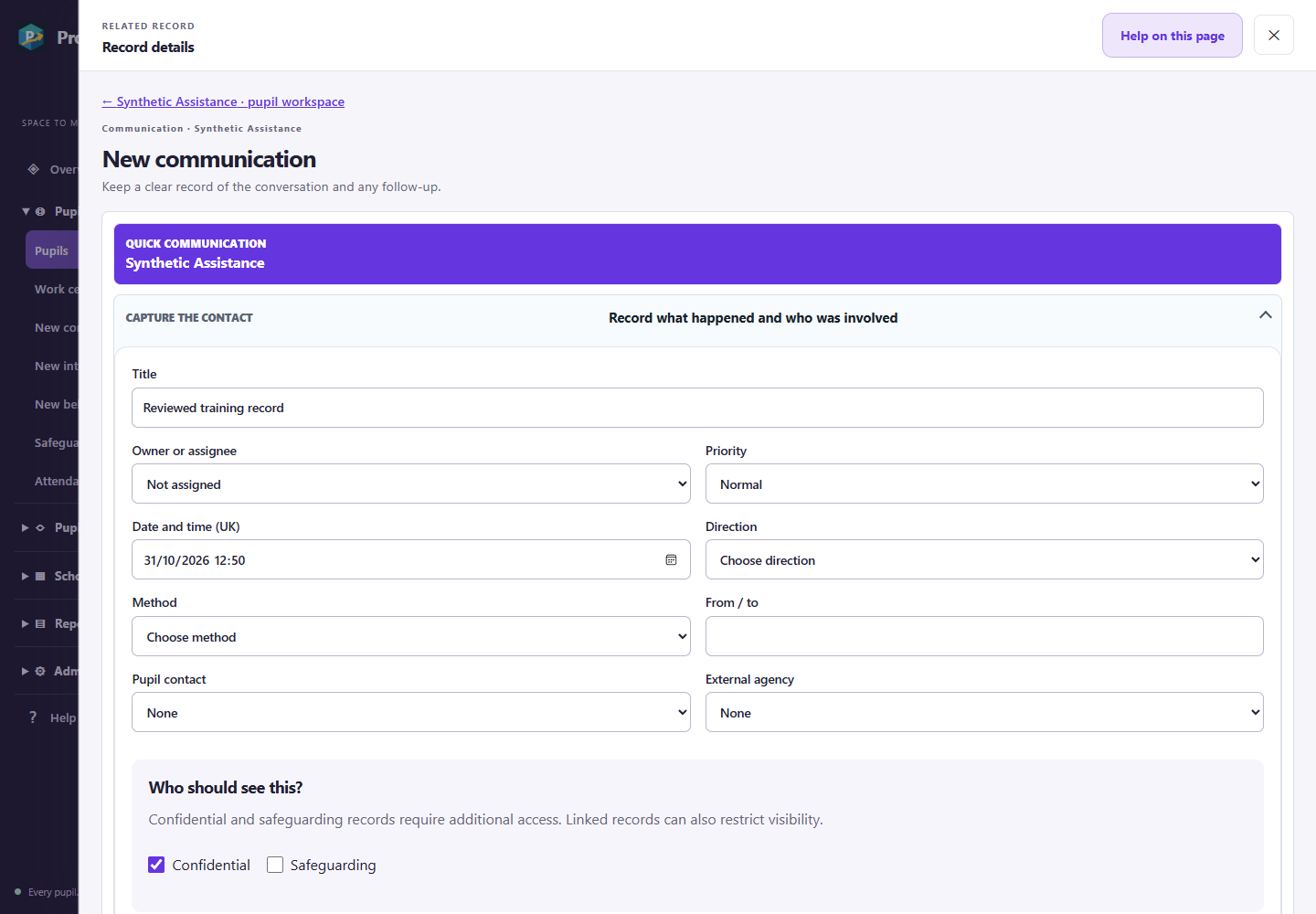
A parent tells a teacher that mornings are getting harder. You agree to ring on Friday. Record the conversation with the pupil, then give the follow-up a named person and a due date.
When you make the call, the pupil’s timeline gives you the earlier conversation and meeting notes. If the family needs a written summary, prepare a letter, check the recipient and approve the wording before producing it in Word or PDF.
Colleagues can pick up the information their role allows. Sensitive records retain their own access restrictions.
EHCPs and annual reviews
Start the annual review with the evidence you’ve gathered
Open the saved EHCP to arrange the review meeting and record the local authority submission deadline. The plan, outcomes and review stay linked, giving you a starting point for preparation.
Gather the outstanding contributions
Bring together the pupil’s views, the family’s contribution, professional advice and school evidence. Record when each contribution arrives. You can focus your reminders on what is still outstanding and your questions on outcomes that need a closer look.
Record the decisions and next steps
Record the recommendations, who has agreed to act and the dates the meeting and submission took place. Check and approve the saved wording before producing the final document. Colleagues can pick up the agreed actions afterwards.
How does VistaSen compare?
When choosing SEND software for your school, start with the jobs you need it to do. Can you share a learning passport with a teacher, check which intervention sessions took place and gather evidence for an annual review?
Features documented out of 39
-
VistaSen39 / 39
-
ASEND36019 / 39
-
Tes Provision Map9 / 39
-
CPOMS StudentSafe9 / 39
-
B Squared Connecting Steps1 / 39
See how VistaSen could lighten your SEND workload
Choose the job that takes up most of your time, whether that’s updating passports, gathering intervention notes or preparing annual reviews. We’ll use a fictional pupil to show how you and your colleagues could do that job in VistaSen.

© 2026 Axisware. Classroom photographs are illustrative stock images. All pupil and school data displayed on this website is fictional and for demonstration purposes only.
Photography: korrawinj, Wavebreak Media and zinkevych via Freepik / Designed by Magnific.